AP Red Cross – Admin Panel
An administration portal for managing AP Red Cross activities. The platform brings dashboard reporting, user management, disaster management resources, event administration and gallery categories together in one organised interface.

About AP Red Cross
The AP Red Cross Admin Panel provides a central workspace for administrators to access different management modules. The sidebar includes Dashboard, Masters, First-Aid, Corporate First-Aid, Basic First-Aid, Membership and DM Relief Materials. The dashboard displays training summaries and date filters.
Key Areas
- User login with username and password
- Dashboard with training summary cards
- User creation with role, district and branch selection
- Disaster management resource upload and review
- Event management and gallery categories
Explore the Admin Panel Screens
Explore the main screens of the AP Red Cross administration portal and their visible features.
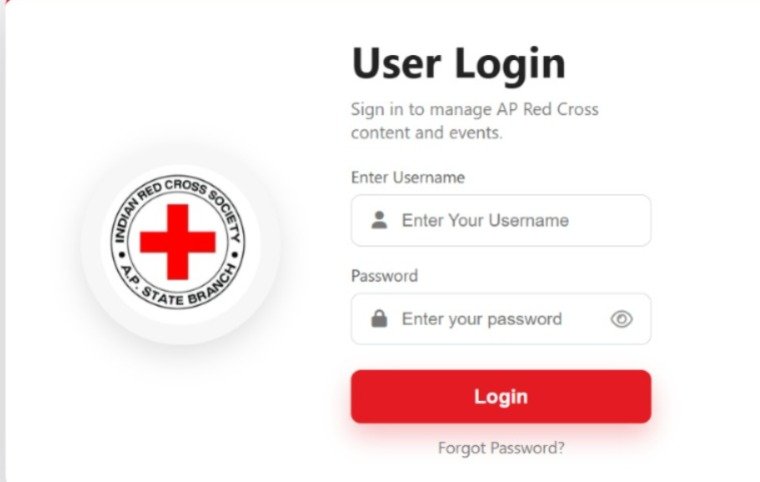
User Login
The login screen provides access to the AP Red Cross content and events management portal. It includes username and password fields, a password visibility icon, a Login button and a Forgot Password link. The Red Cross emblem appears beside the sign-in form.
ACCOUNT ACCESS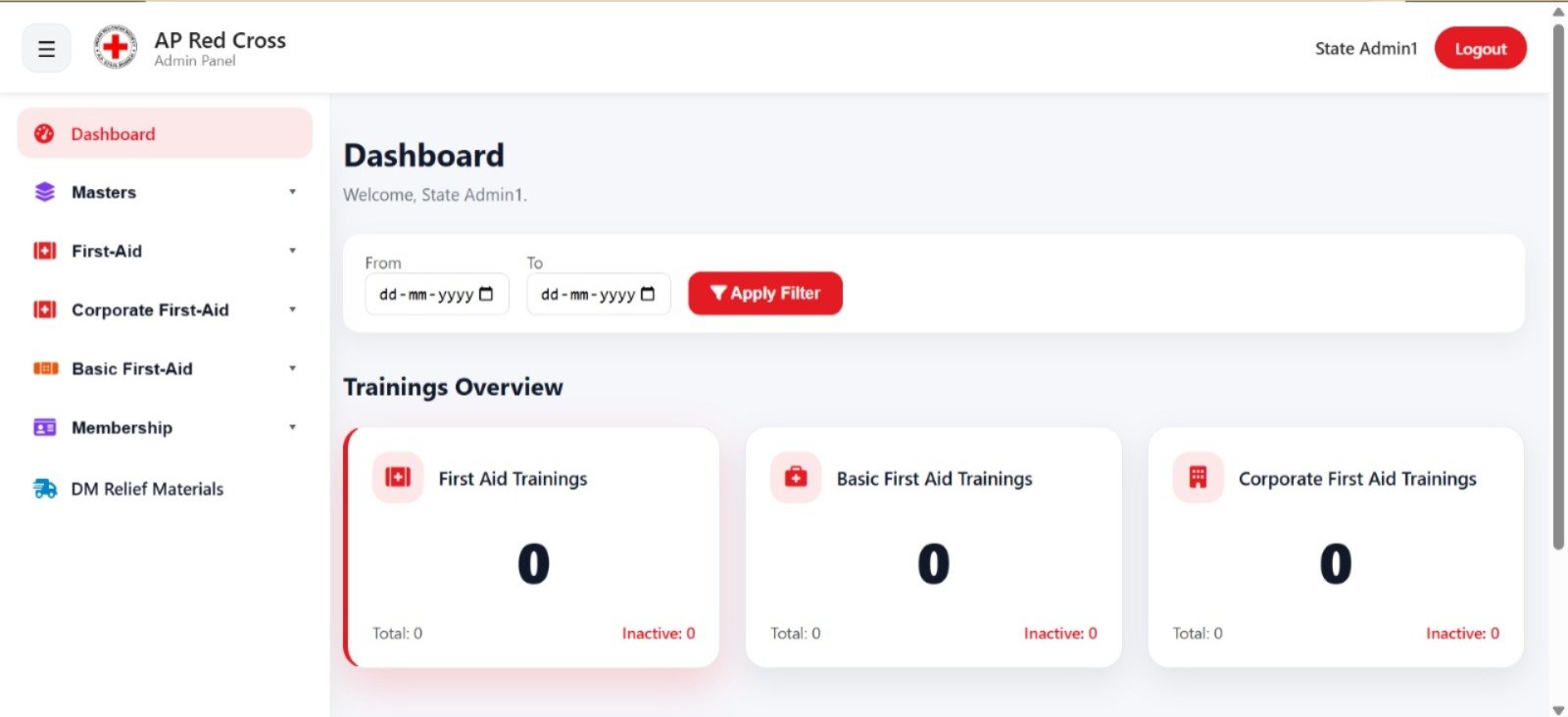
Dashboard & Training Overview
The dashboard welcomes the signed-in state administrator. From and To date fields allow the displayed information to be filtered. The Trainings Overview section contains separate cards for First Aid Trainings, Basic First Aid Trainings and Corporate First Aid Trainings. Each card displays the total and inactive counts.
TRAINING SUMMARY & DATE FILTERS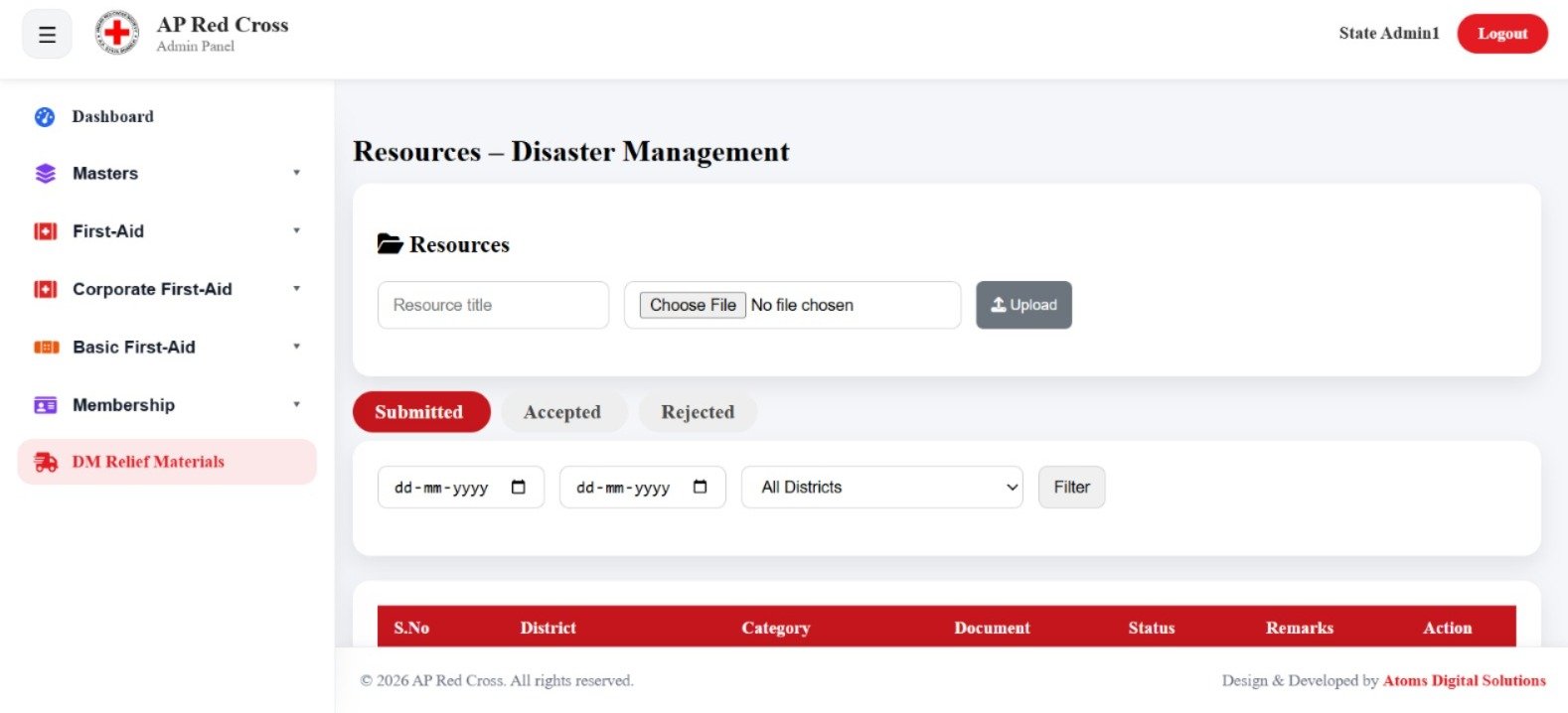
Resources – Disaster Management
The Disaster Management section contains a resource upload form with a resource title field, file selection and Upload button. Records are organised into Submitted, Accepted and Rejected tabs.
Date filters and a district dropdown help narrow the displayed records. The table includes columns for serial number, district, category, document, status, remarks and action.
RESOURCE UPLOAD & REVIEW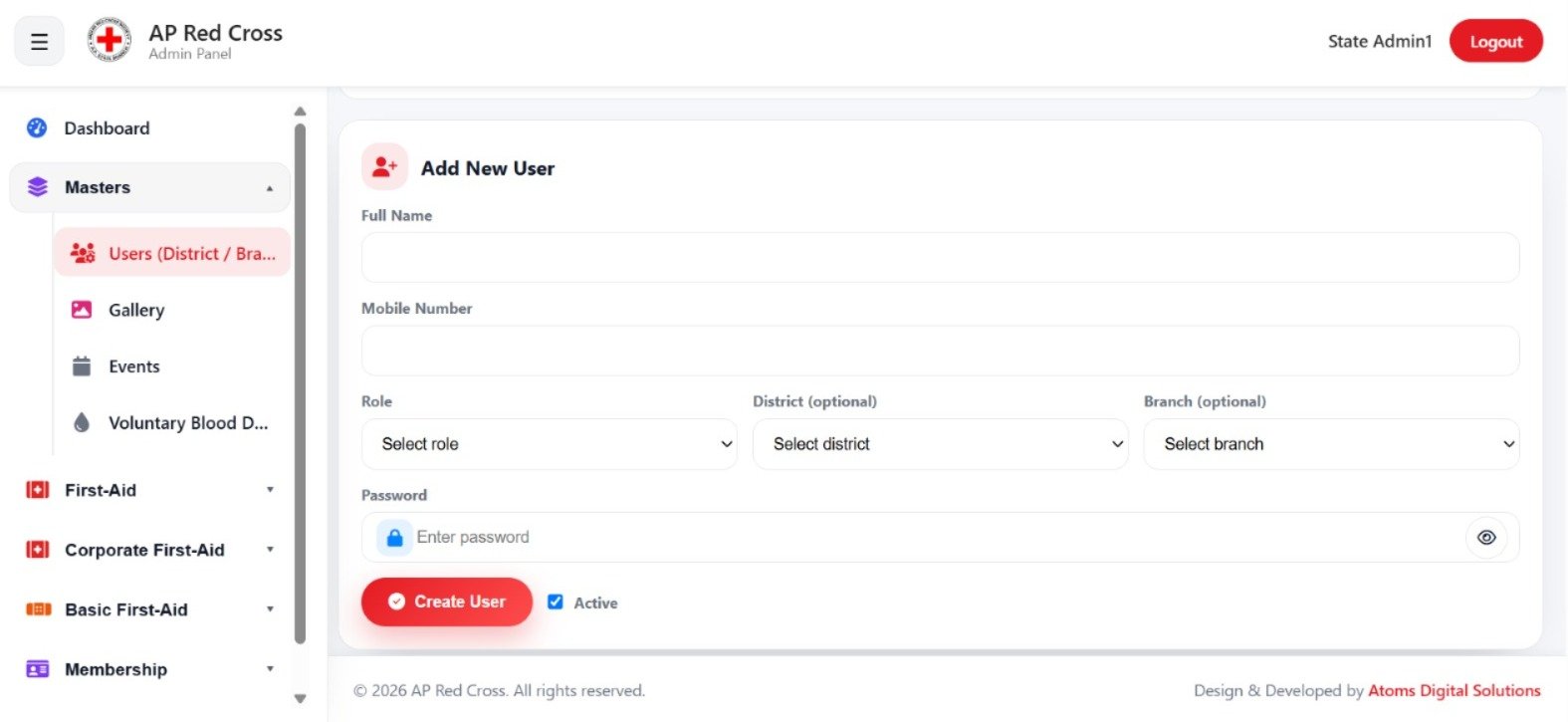
Add New User
The Add New User form includes fields for full name and mobile number. Administrators can select a role and optionally assign a district and branch. The form also contains a password field with a visibility icon, a Create User button and an Active checkbox.
USER & ROLE MANAGEMENT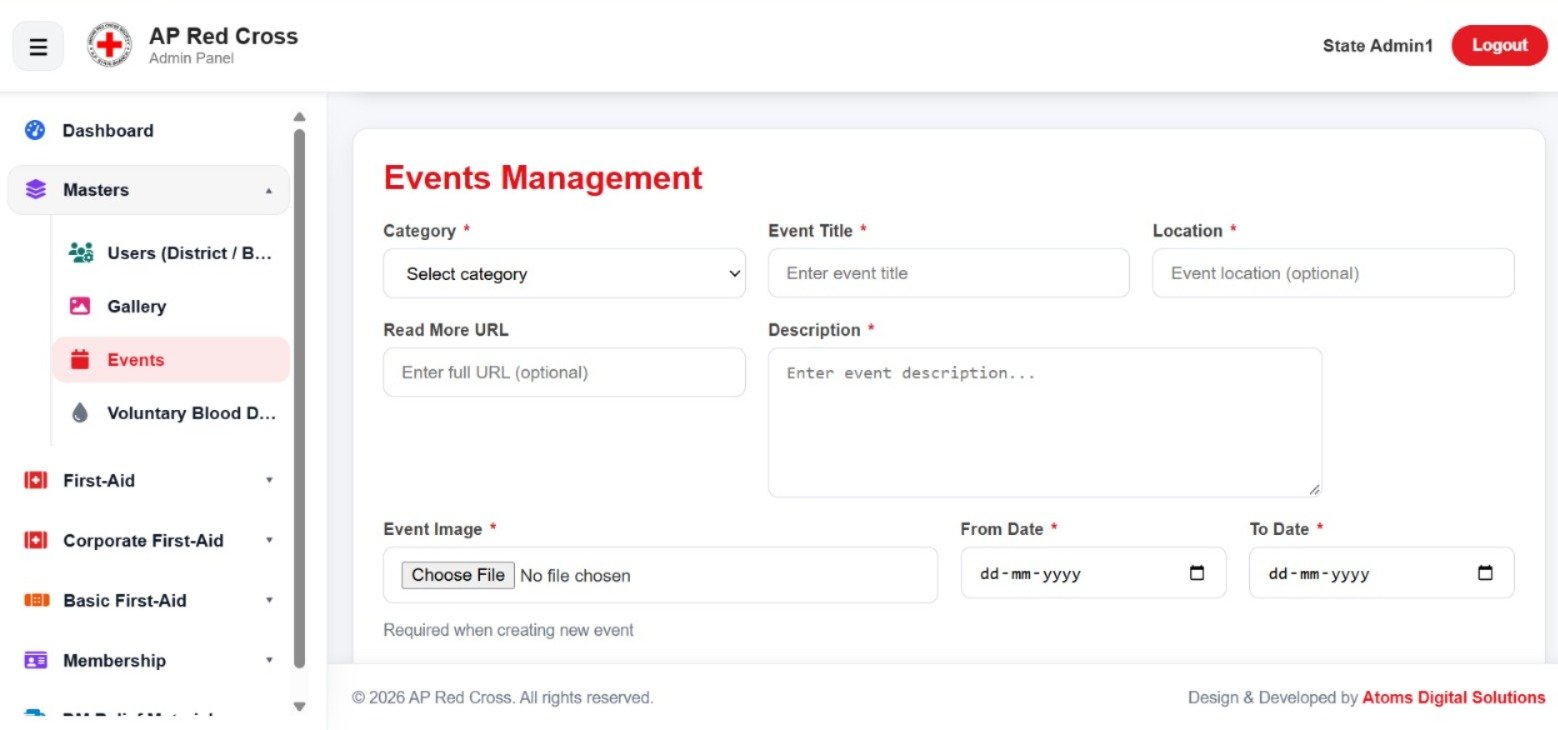
Events Management
The Events Management form captures event details such as category, event title, location, an optional Read More URL and description. An event image upload field is provided, together with From Date and To Date fields.
Required fields are marked with an asterisk to help users identify the information needed when creating an event.
EVENT DETAILS & SCHEDULING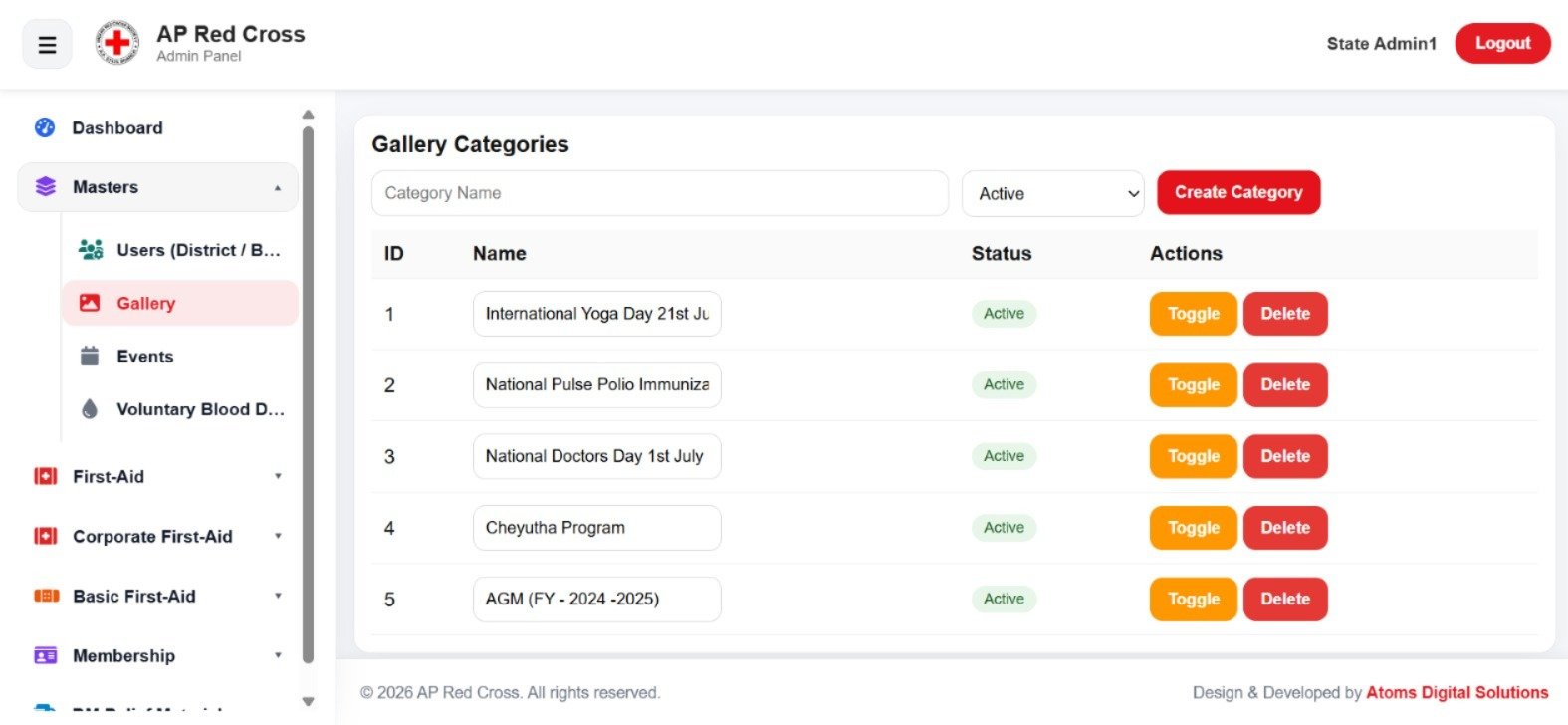
Gallery Categories
The Gallery Categories section allows administrators to enter a category name, select its status and create a category. Existing categories appear in a table with ID, name, status and action columns.
Each listed category has Toggle and Delete controls for managing its displayed status and removing the category.
GALLERY CATEGORY MANAGEMENTWant to Know More About This Project?
Contact Atoms Software to learn more about the AP Red Cross administration portal and its management screens.