Finx PE – Digital Payments Platform
A unified digital payments interface for retailer services, wallet operations and bill payments. The platform brings key transaction workflows together, with Bharat Connect bill-payment categories presented in a clear, accessible dashboard.
About Finx PE
Finx PE provides a central workspace for retailer operations. From the dashboard, users can review wallet balances, access wallet loading and payout workflows, and open bill-payment services. The interface uses a navigation menu and service tiles to keep common tasks easy to find.
Key Areas
- Retailer sign-in with username and password
- Dashboard with main and available wallet balances
- Wallet load and payout entry points
- Bill-payment categories through Bharat Connect
- Electricity provider selection and bill lookup
Explore the Platform Screens
Key screens from the Finx PE interface, with an explanation of each workflow.
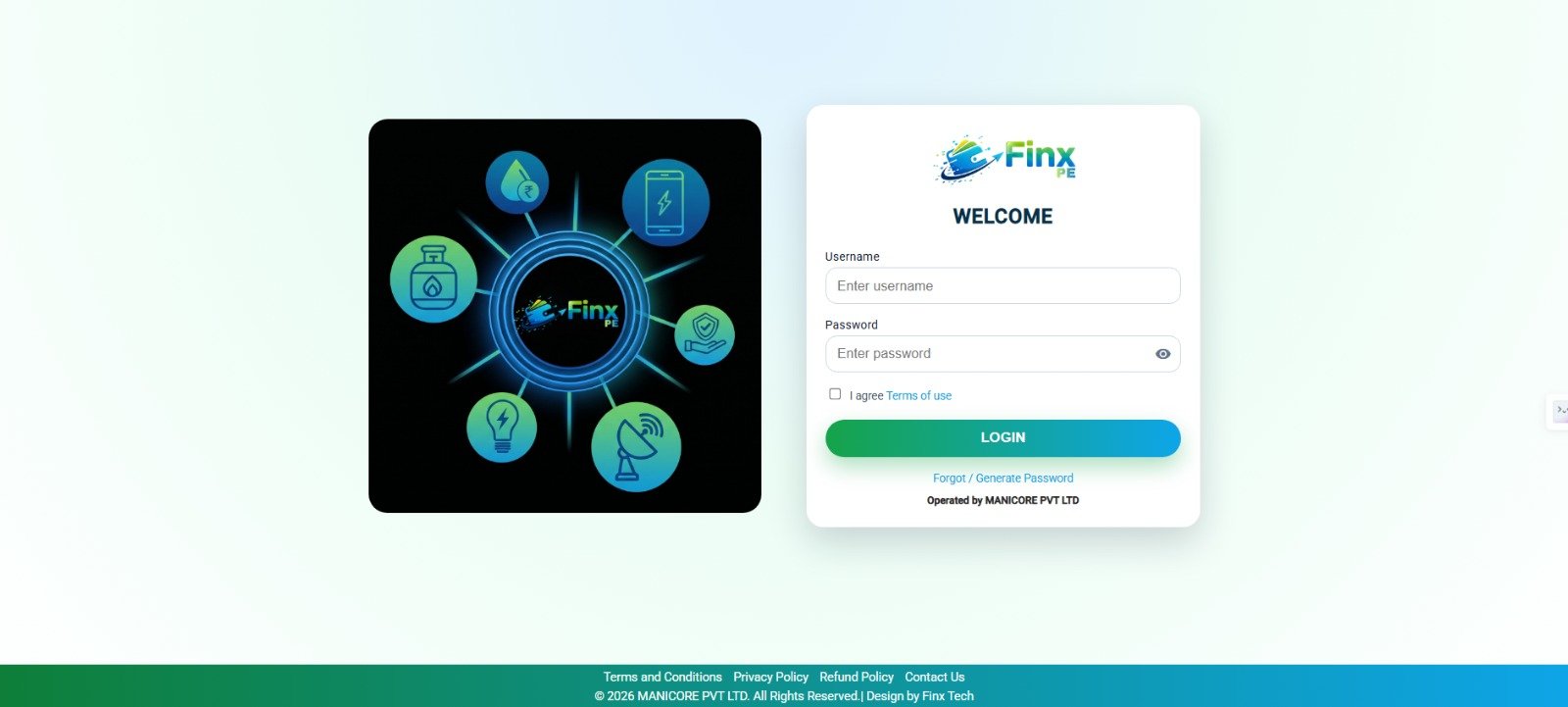
Secure Sign-in
The sign-in screen is the entry point for the retailer portal. It includes username and password fields, a terms-of-use agreement, a login action and a password recovery link. This layout keeps account access and help options in one place.
ACCOUNT ACCESS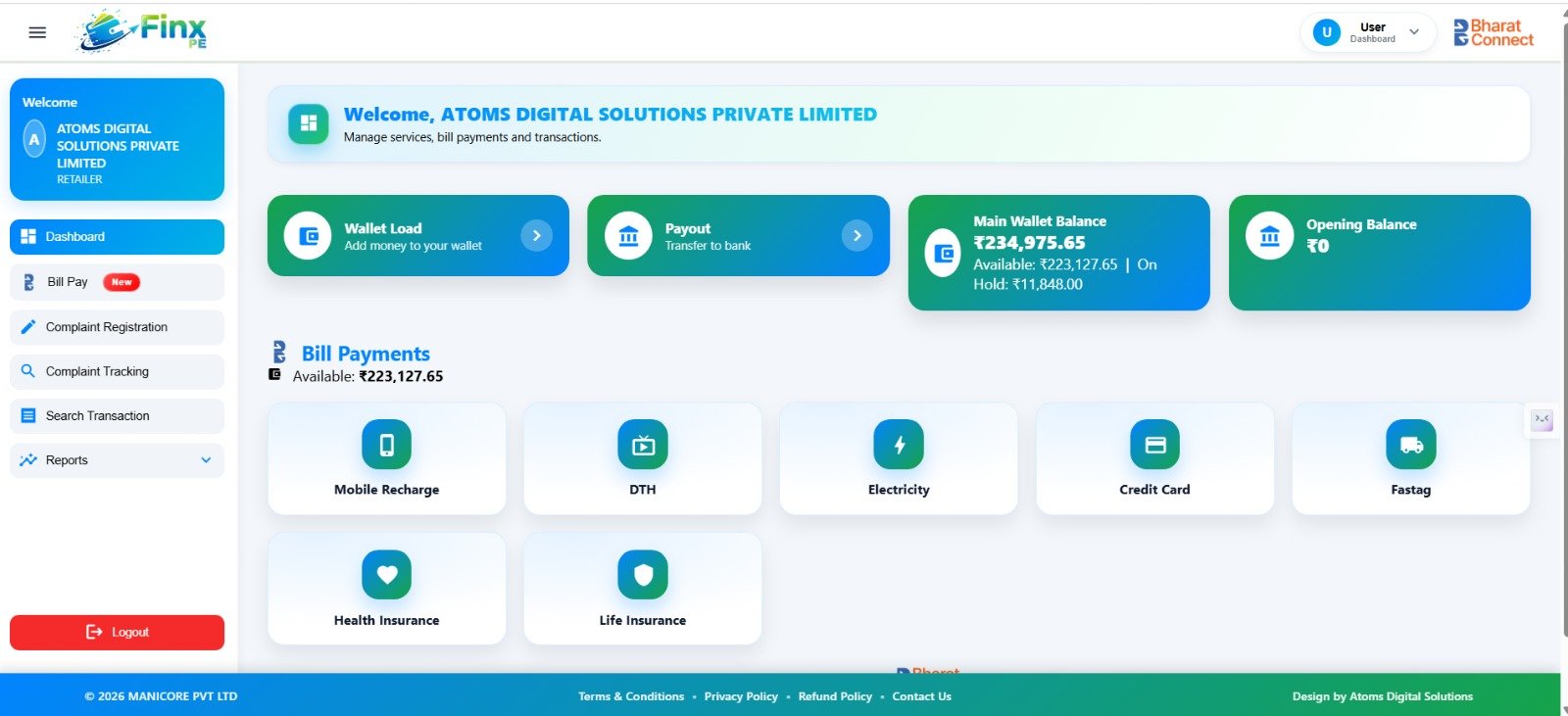
Retailer Dashboard
The dashboard welcomes the retailer and provides shortcuts to Wallet Load and Payout. Summary cards display the main wallet balance, available balance, amount on hold and opening balance. Users can also access services such as mobile recharge, DTH, electricity, credit card, FASTag and insurance.
WALLET SUMMARY & SERVICE SHORTCUTS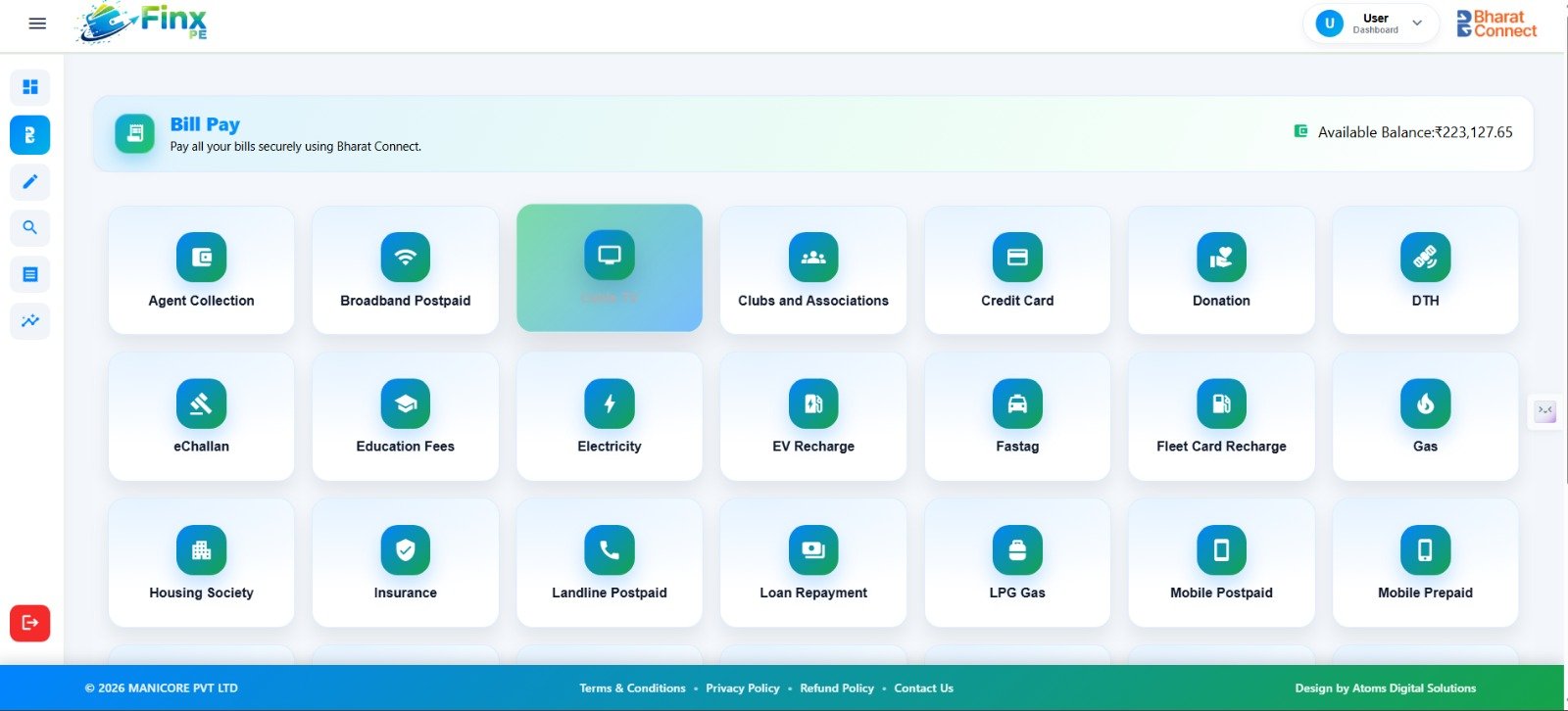
Wallet Load
The Wallet Load form collects the mobile number and amount, then asks the user to select a payment gateway type and settlement type. The Load Wallet and Cancel actions make the next step clear. Required fields are marked so users can identify the information needed before proceeding.
WALLET FUNDING WORKFLOW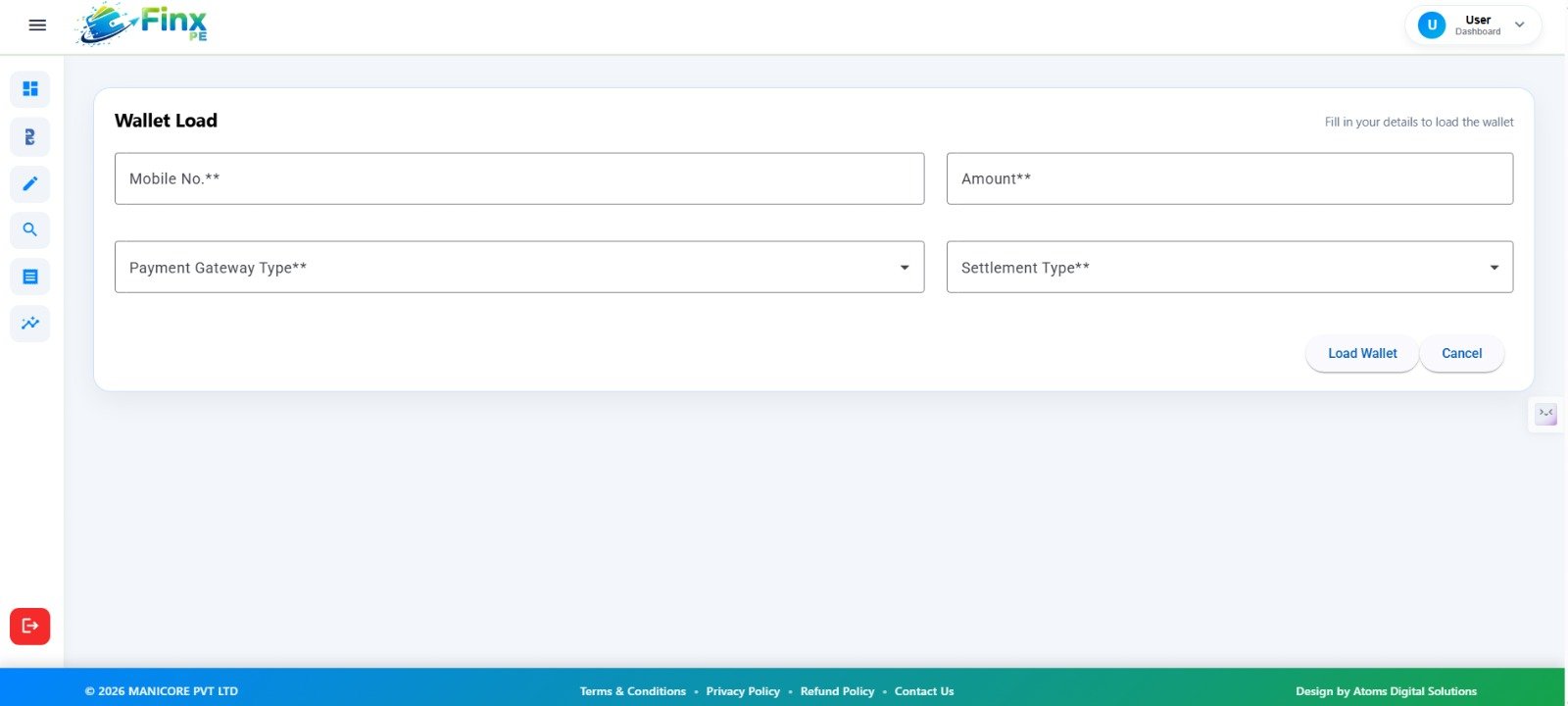
Bill Payment Services
The Bill Pay section groups supported biller categories into selectable tiles. Examples shown include Agent Collection, Broadband Postpaid, Cable TV, Clubs and Associations, Credit Card, Donation, DTH, eChallan, Education Fees, Electricity, EV Recharge, FASTag, Gas, Insurance and mobile services.
This category-based layout helps retailers locate the relevant payment service from a single screen.
BHARAT CONNECT CATEGORIES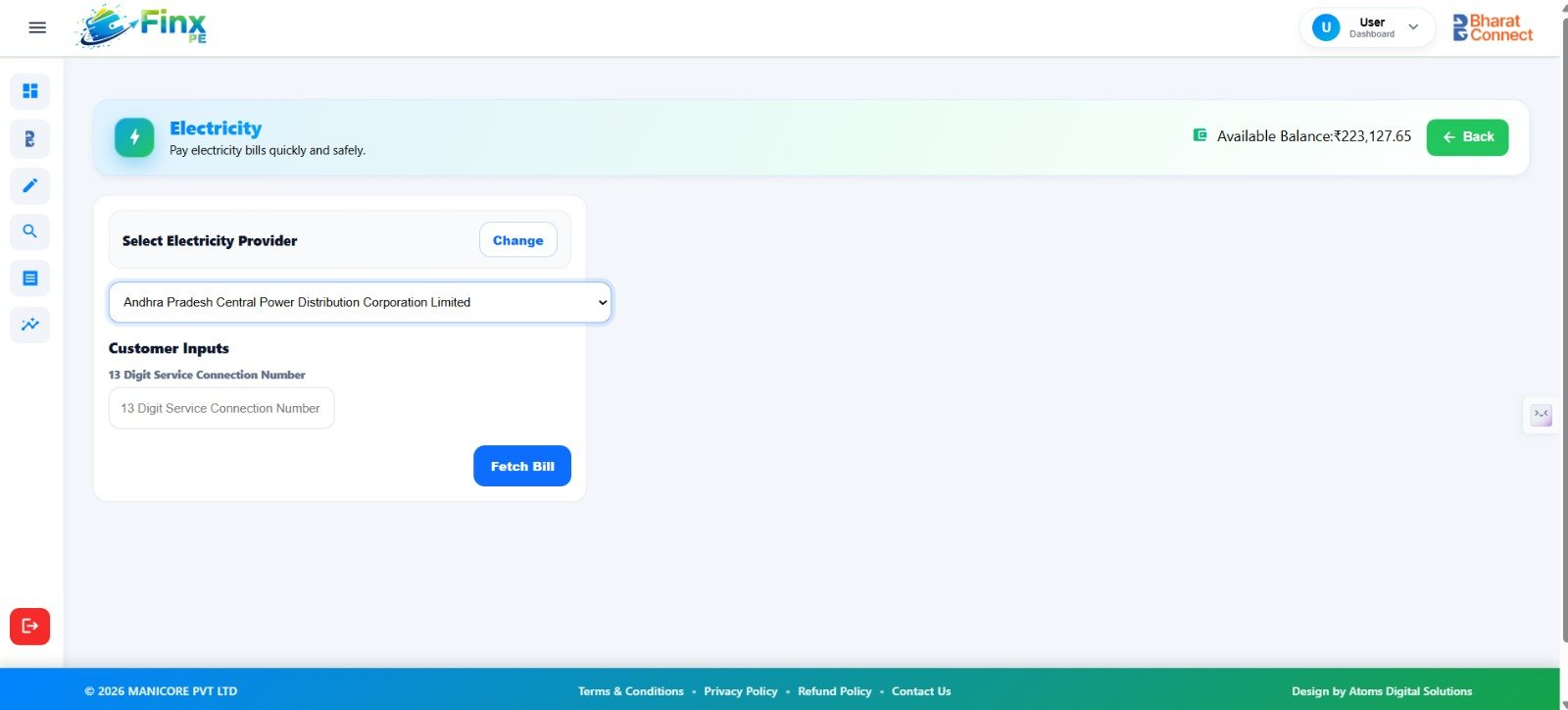
Electricity Bill Lookup
The electricity workflow lets the user select an electricity provider and enter the service connection number. In the supplied example, Andhra Pradesh Central Power Distribution Corporation Limited is selected.
The Fetch Bill button starts the bill lookup process, while the available balance remains visible for reference.
PROVIDER SELECTION & BILL FETCHWant to Know More About Finx PE?
Contact Atoms Software to learn more about this digital payments interface or to discuss a demonstration.