Atoms DMS – Application Dashboard
A visual overview of the Atoms Digital Solutions application, covering deliverable reporting, operations dashboards, client management, client retention, onboarding capacity, content workflows, employee performance, marketing analytics, shoot scheduling and financial reporting.
About Atoms DMS
The application brings reporting and workflow screens into one place, with date filters, summary cards, tables, charts, client records and a booking calendar. Figures shown in the screens are examples and not verified live data.
Key Areas
- Operations and deliverable status reports
- Client onboarding, retention and records
- Team efficiency and monthly performance
- Marketing lead analytics and conversions
- Financial summaries, revenue trends and expenses
Explore the Application Screens
Key screens from the Atoms DMS interface, with an explanation of each workflow.
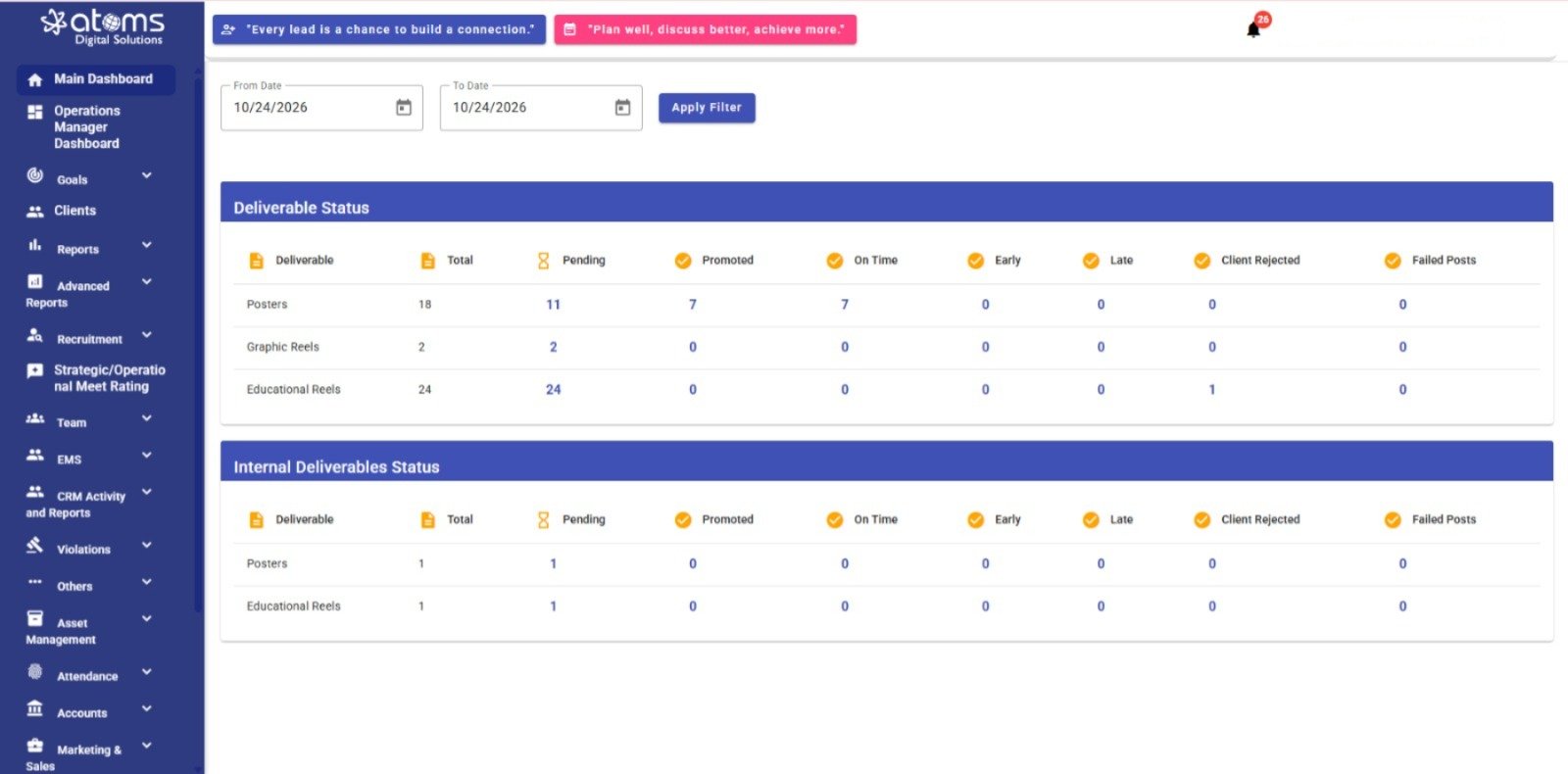
Deliverable Status Report
Displays separate Deliverable Status and Internal Deliverables Status tables. Columns include deliverable type, total, pending, promoted, on-time, early, late, client-rejected, and failed-post counts. A date range filter appears above the tables.
DELIVERABLE REPORTING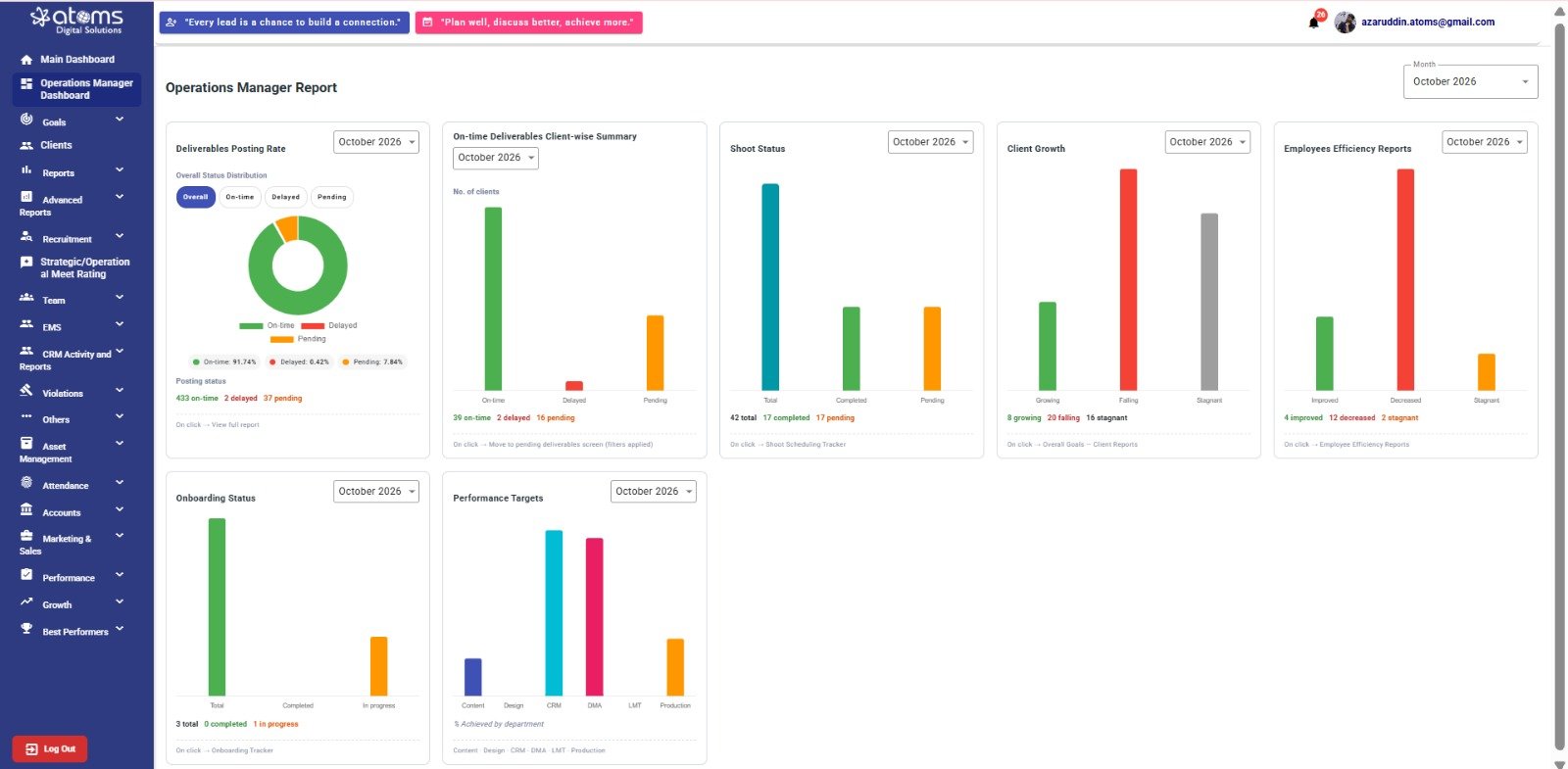
Operations Manager Report
Shows dashboard panels for deliverables posting rate, on-time deliverables, shoot status, client growth, employee efficiency, onboarding status, and performance targets. The panels include monthly selectors and chart summaries.
OPERATIONS DASHBOARD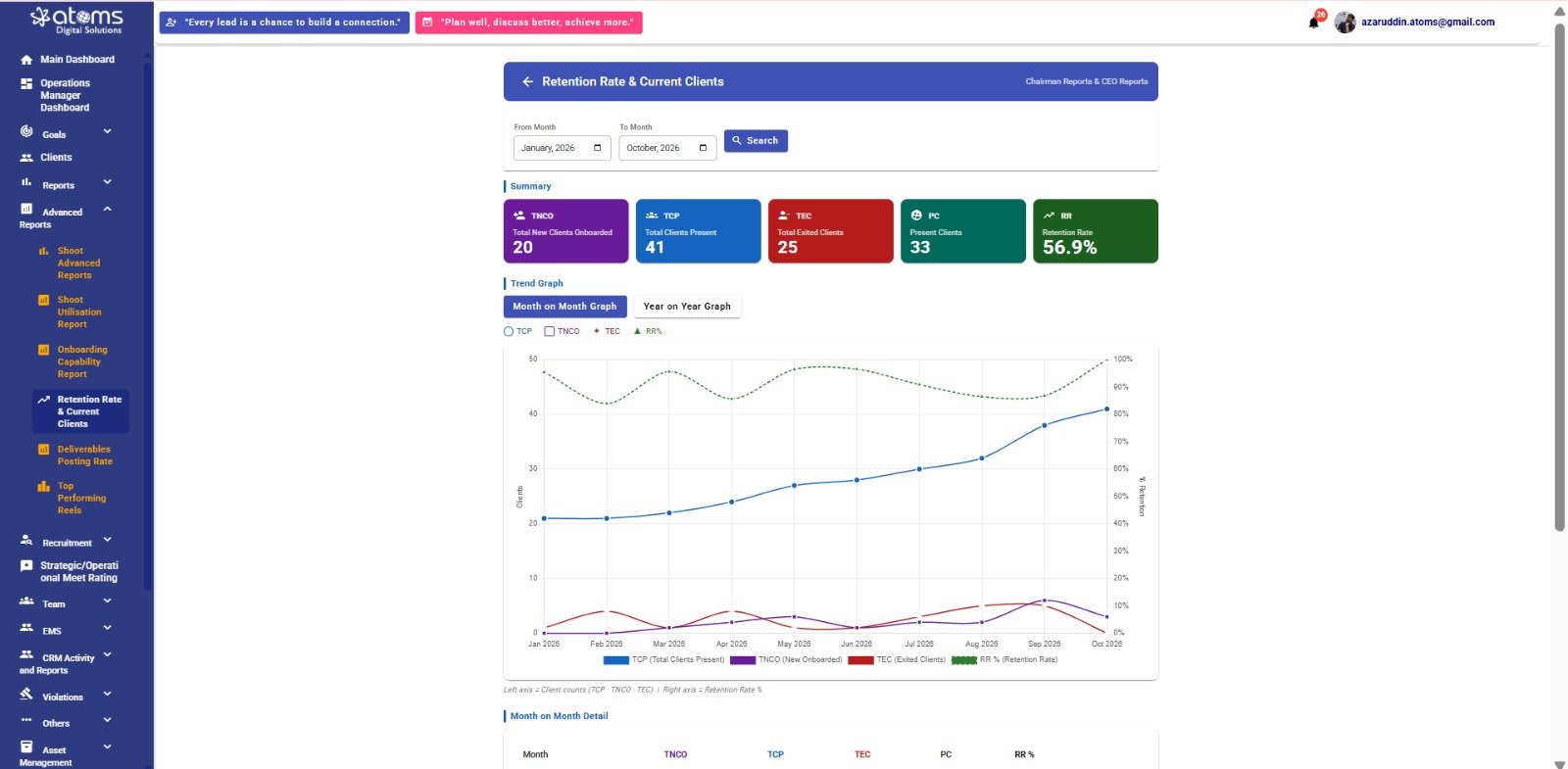
Retention Rate & Current Clients
Provides summary cards for new clients onboarded, total clients present, exited clients, present clients, and retention rate. The trend area includes month-on-month and year-on-year graph options and a monthly detail section.
CLIENT RETENTION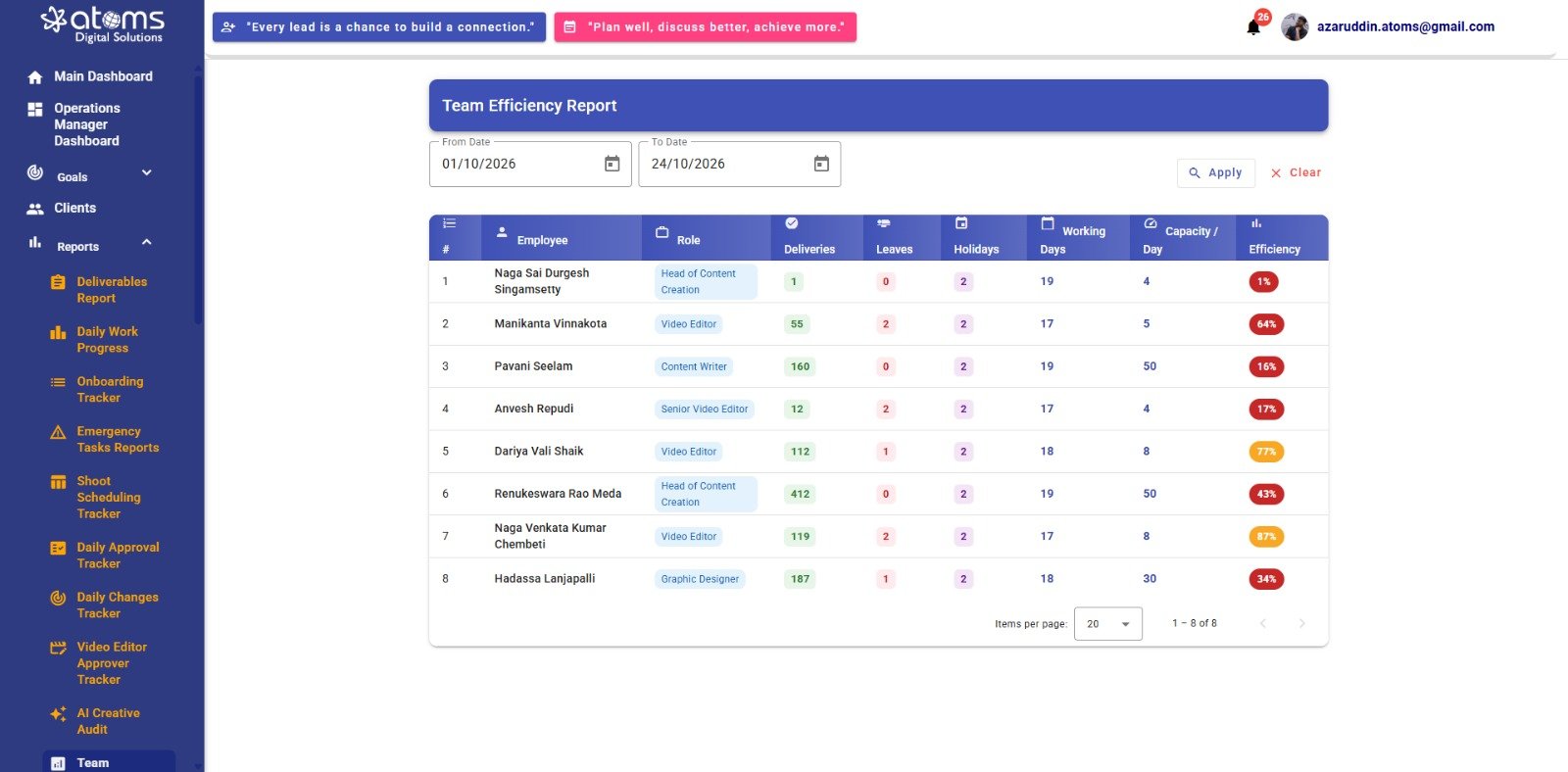
Team Efficiency Report
Lists employees, roles, deliveries, leaves, holidays, working days, capacity per day, and efficiency percentages. From Date and To Date fields allow a reporting period to be selected.
TEAM PERFORMANCE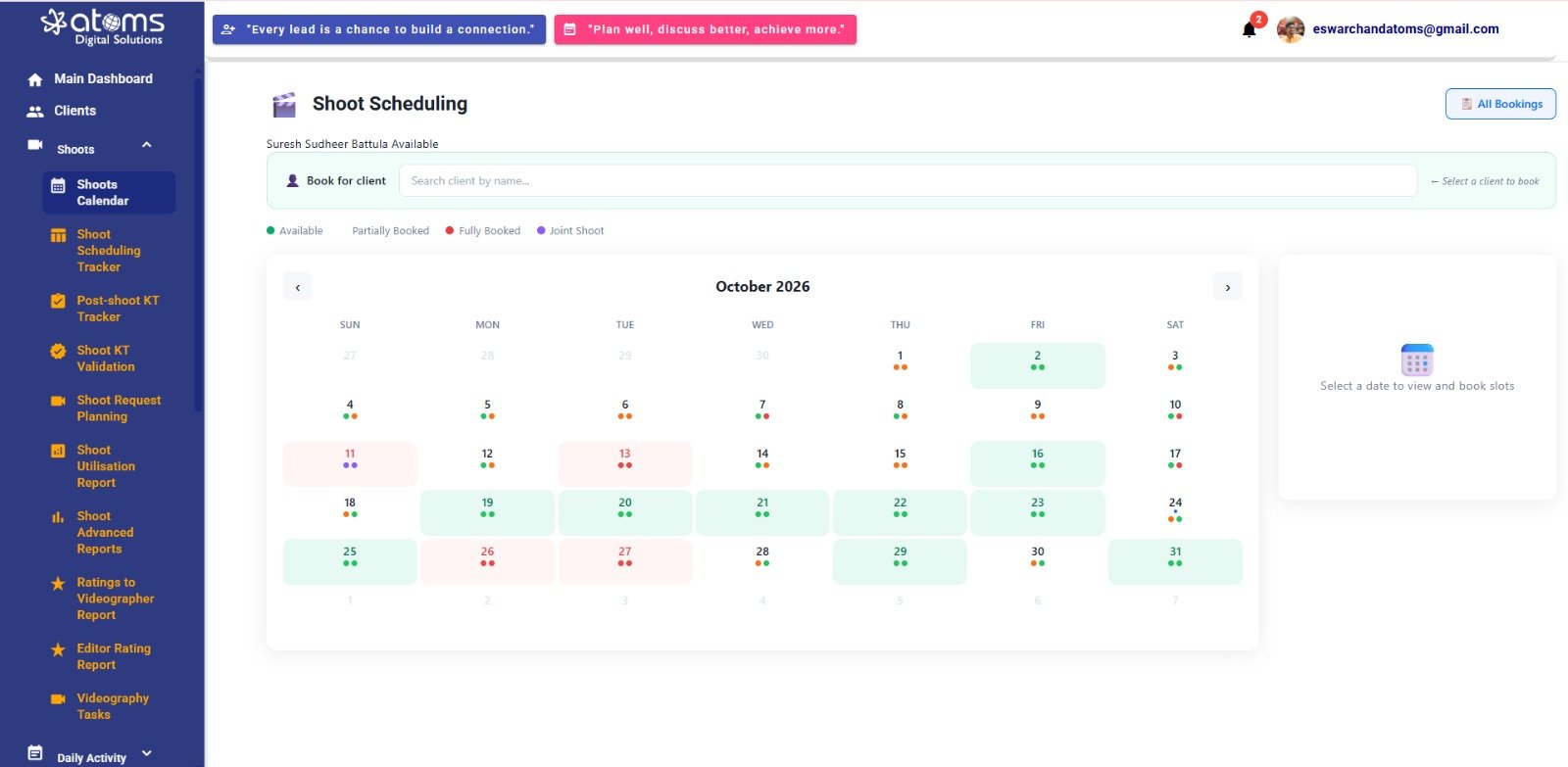
Shoot Scheduling & Booking Calendar
Shows a monthly calendar, a client search field, an All Bookings option, and a legend for available, partially booked, fully booked, and joint-shoot dates. Selecting a date is intended to show its booking slots.
SHOOT SCHEDULING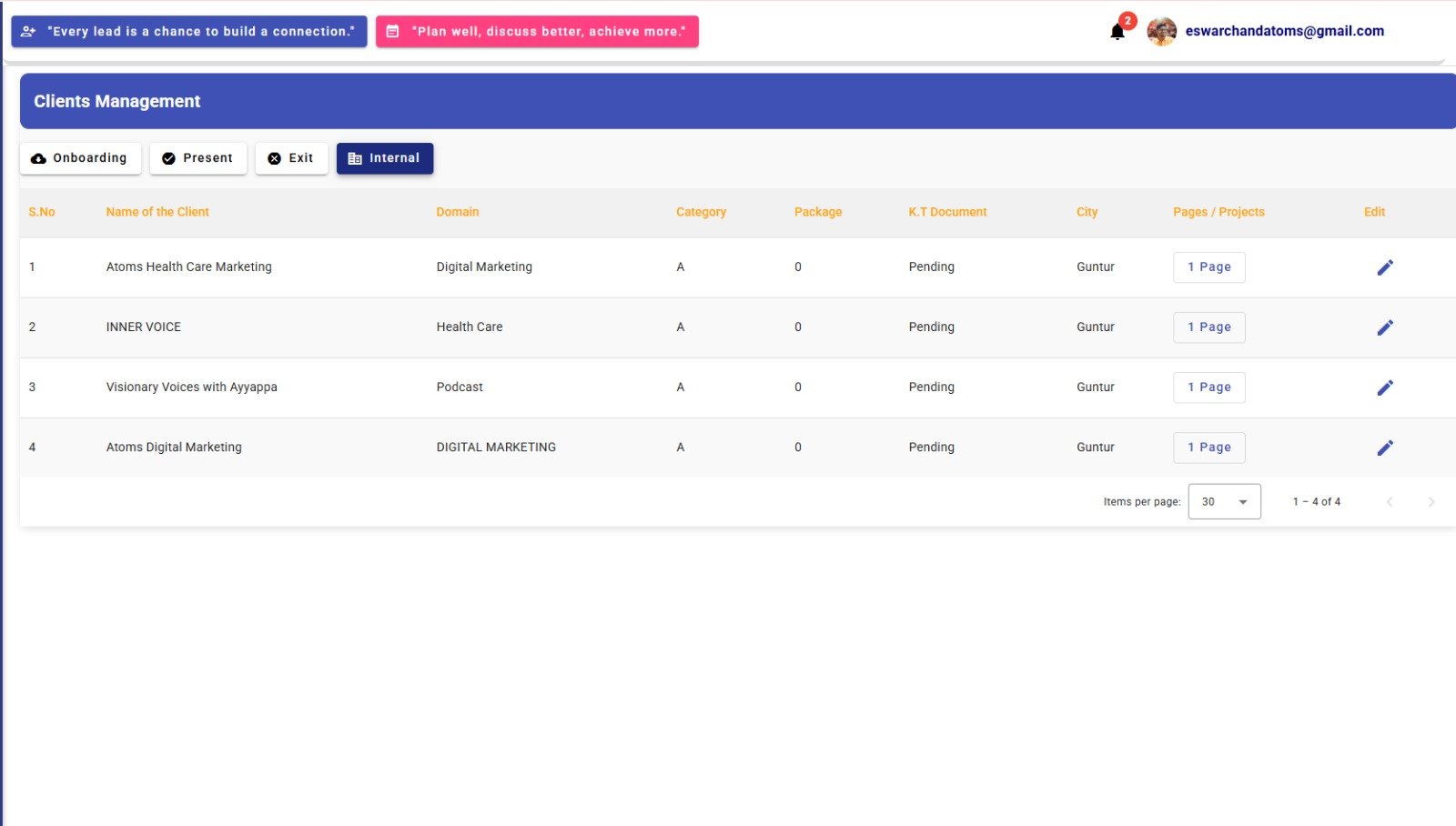
Clients Management
Displays client records with tabs for Onboarding, Present, Exit, and Internal. The table includes client name, domain, category, package, K.T. document status, city, pages or projects, and an edit action.
CLIENT RECORDS
Onboarding Capability Report
Shows a selected reporting month and a summary of how many new clients the company can handle. The department efficiency table includes team size, average capacity per member, total capacity, current utilization, efficiency, and available capacity.
ONBOARDING CAPACITY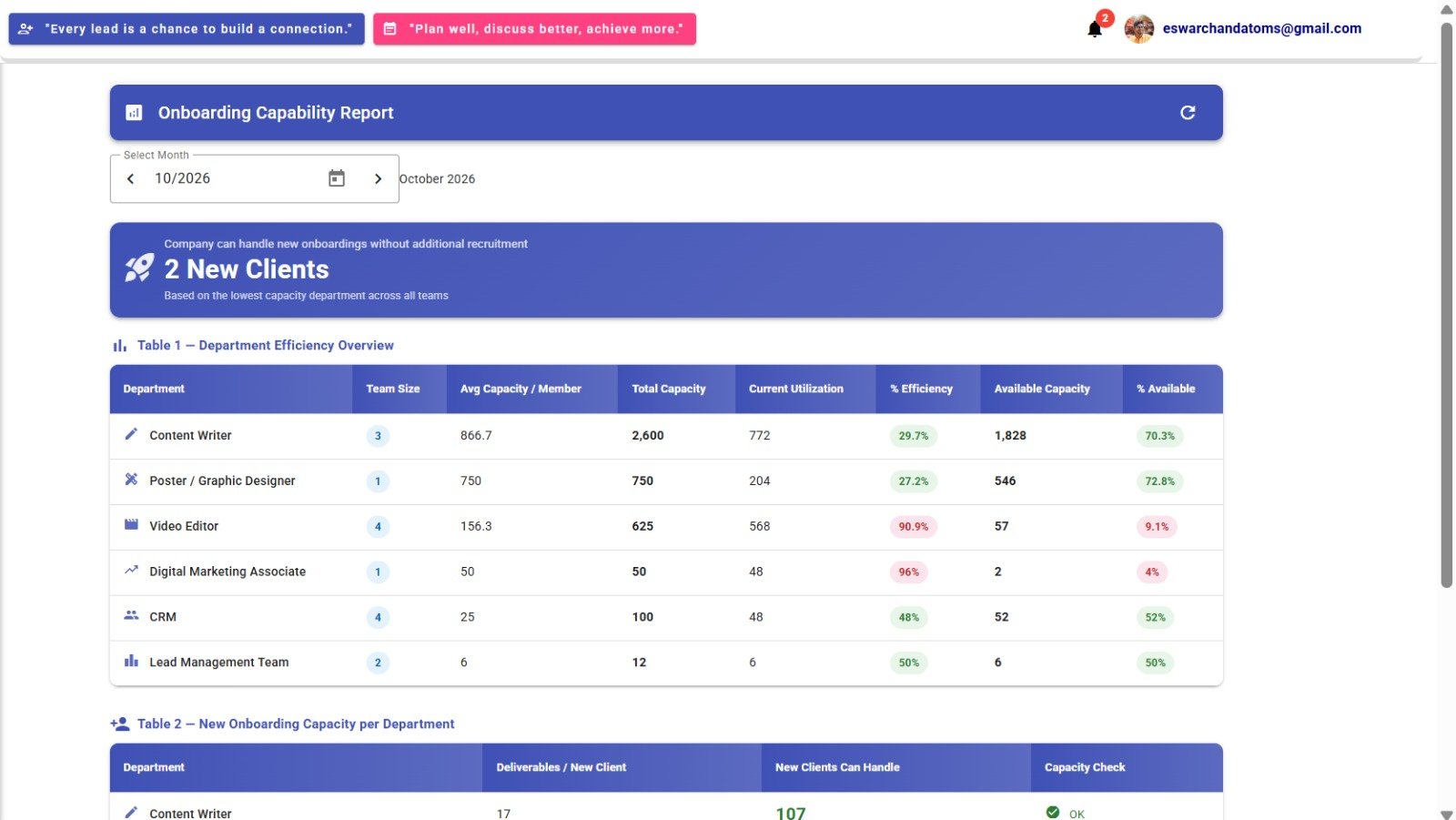
Video Details Update
Shows an Update Video Details dialog with an option to regenerate content with AI, language selection, topic guidance, and selectable fields such as title, video content, caption, editor input, and photographer input. The form also includes title, thumbnail, promotion type, and video content.
VIDEO CONTENT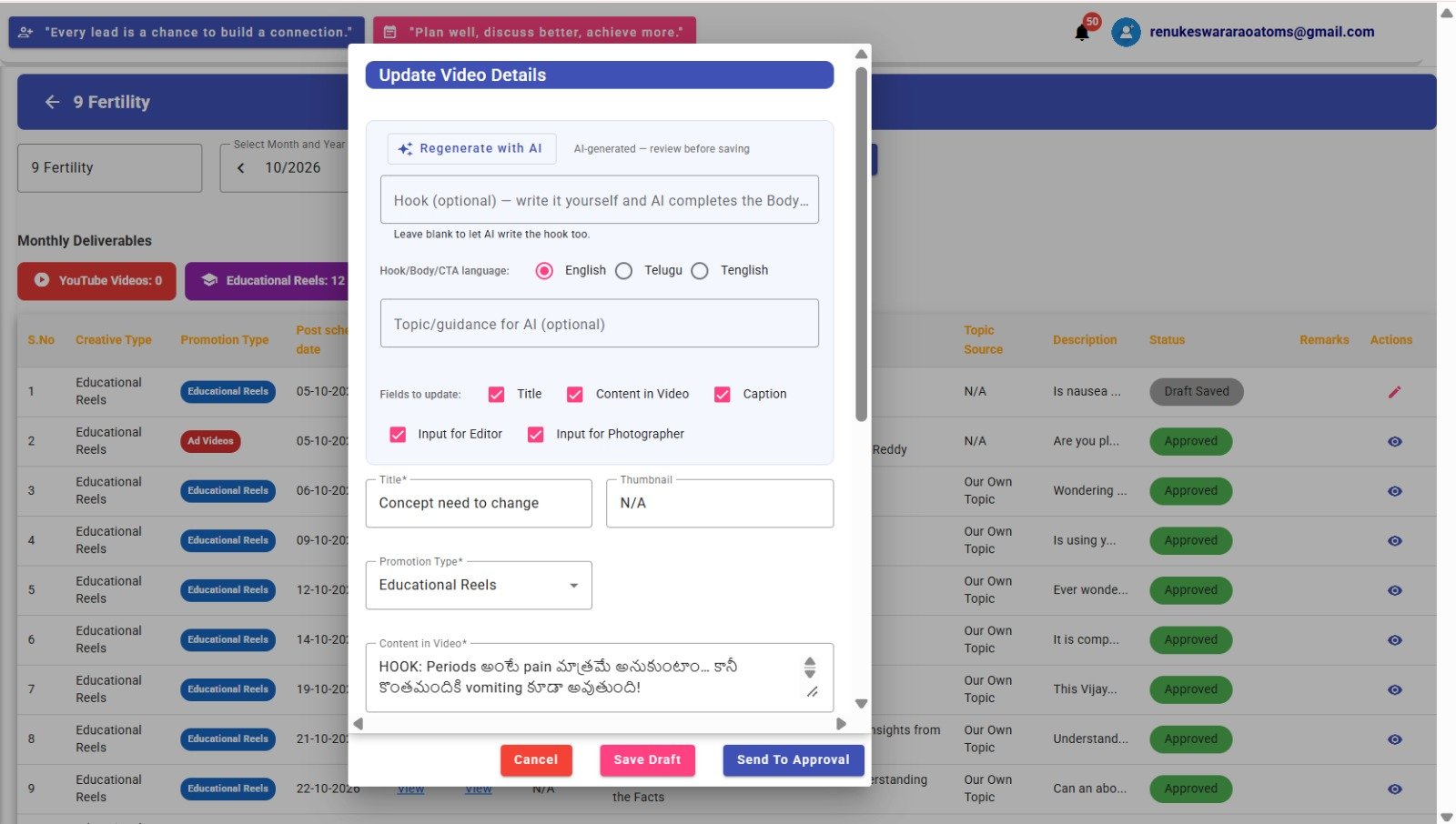
Post Content Update
Shows an update dialog for post content and captions, with optional suggestions and a reference link. Save Draft, Send To Approval, and Cancel actions are visible at the bottom.
POST CONTENT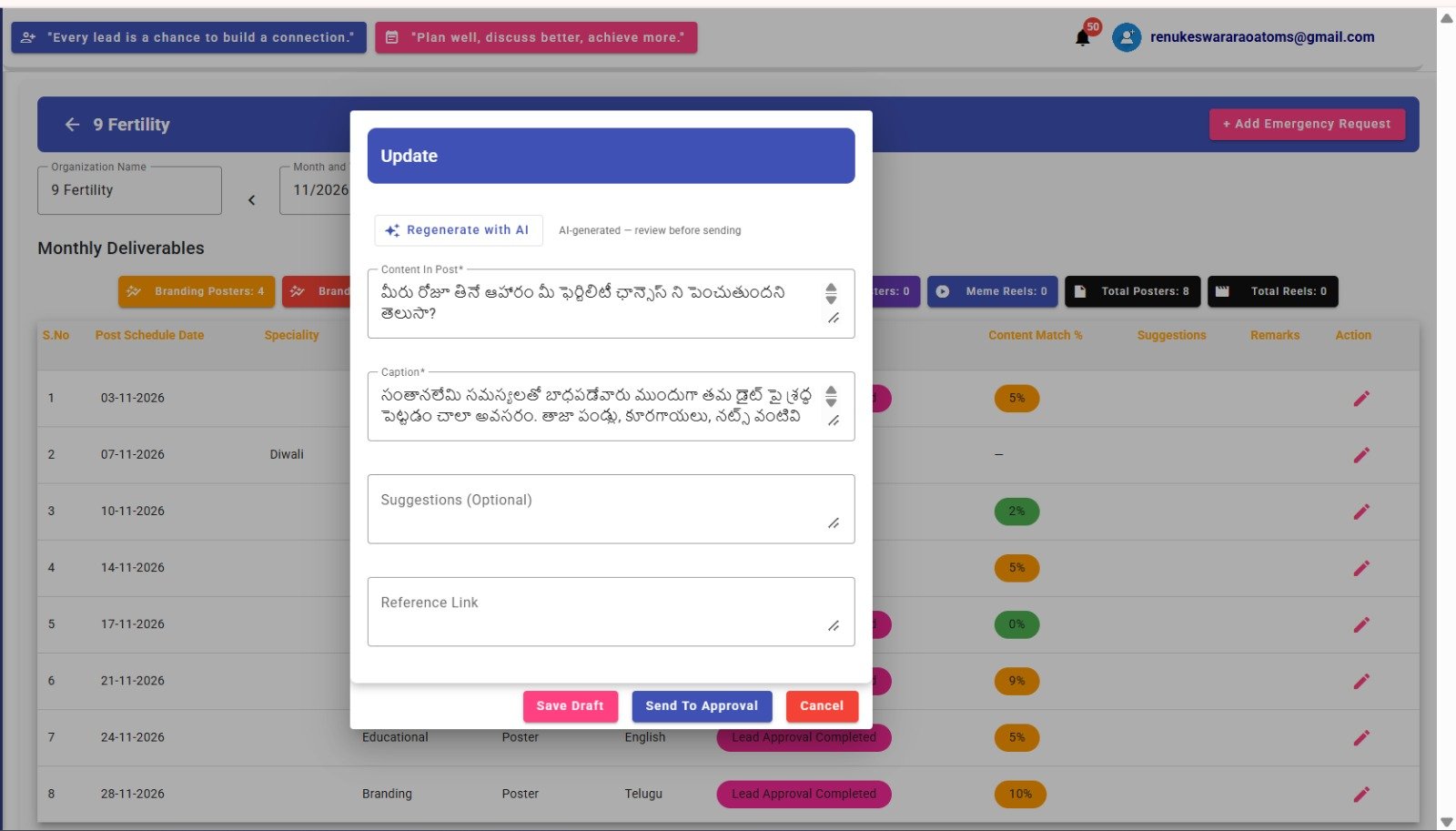
Monthly Performance — Individual
Displays total performance, work performance, learning score, and rating. The work-performance breakdown includes operational and strategic meet ratings, approval rating, department volume efficiency, client satisfaction, engagement, virality, followers, and rejection rate. Performance recognitions and nominations appear below.
MONTHLY PERFORMANCE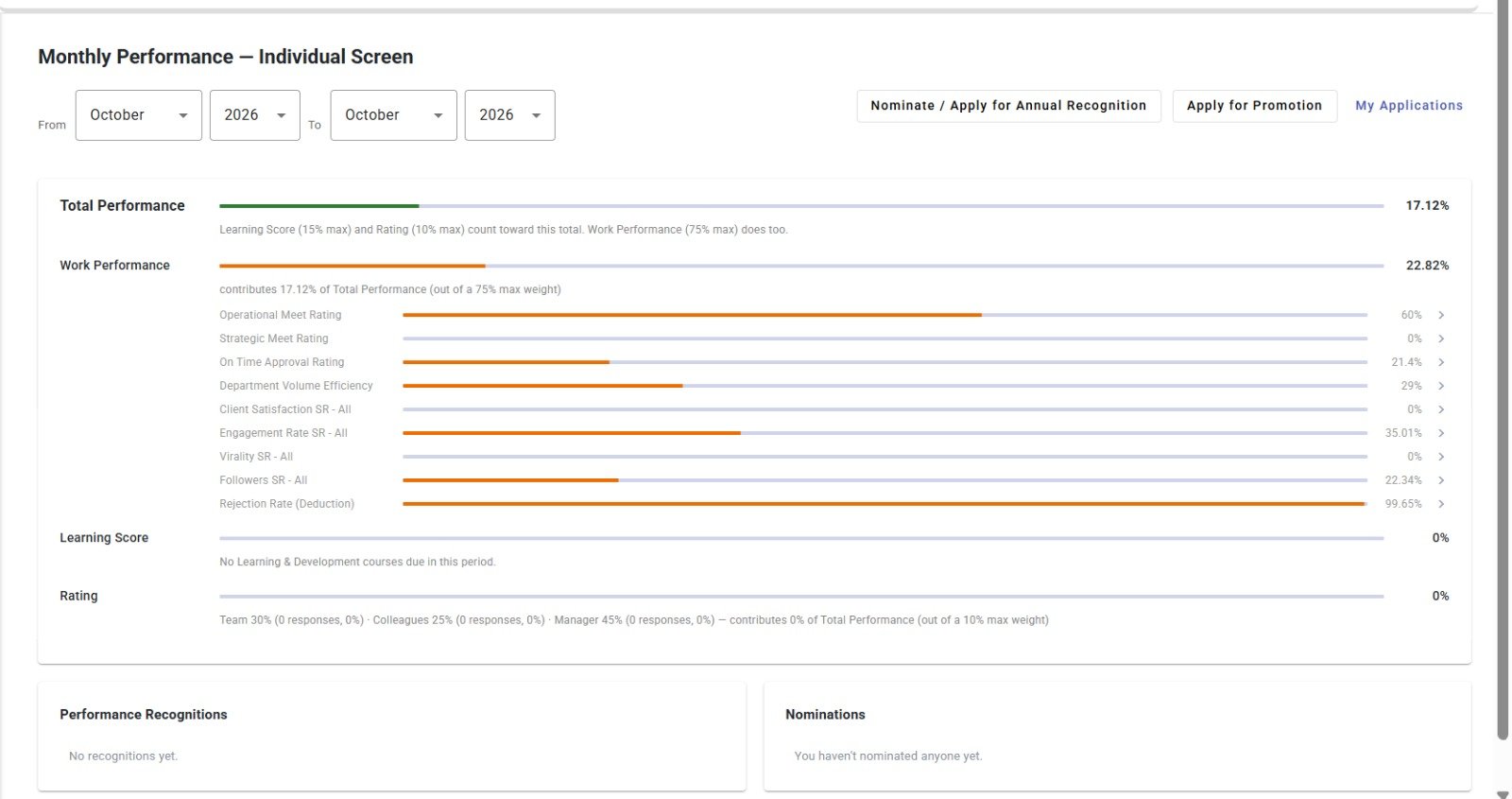
Marketing Dashboard
Summarizes total leads, positive leads, active leads, conversions, conversion percentage, conversion value, and return on investment. The lower sections show a channel-wise breakdown, performance, and trend charts with date filters.
MARKETING ANALYTICS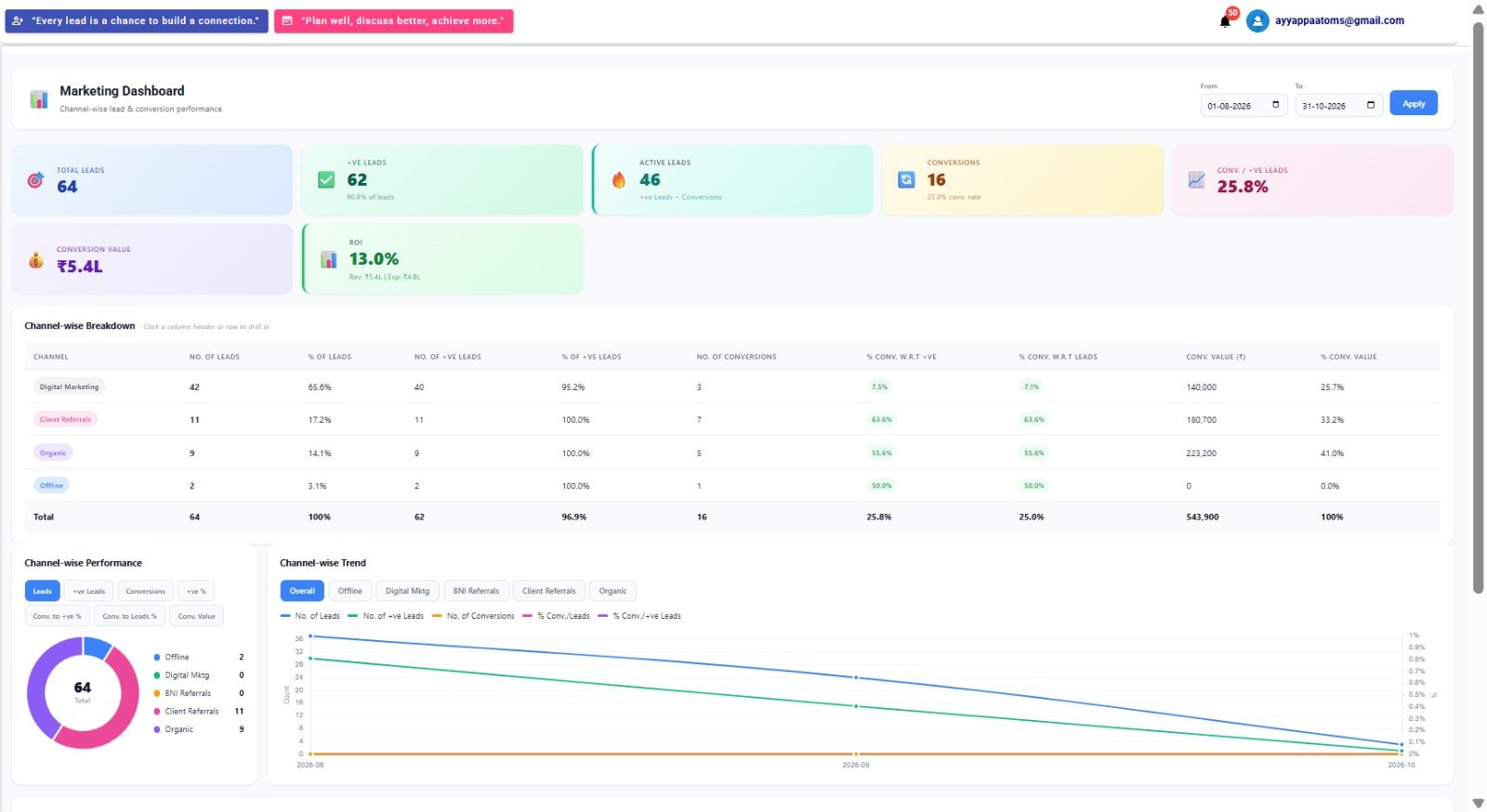
Financial Reports
Includes Financial, Expenses, and Profitability tabs. Summary cards show monthly recurring revenue, revenue from new clients, revenue lost, net revenue, total expense, and monthly profitability. A revenue trend graph and monthly breakdown table appear below.
FINANCIAL REPORTS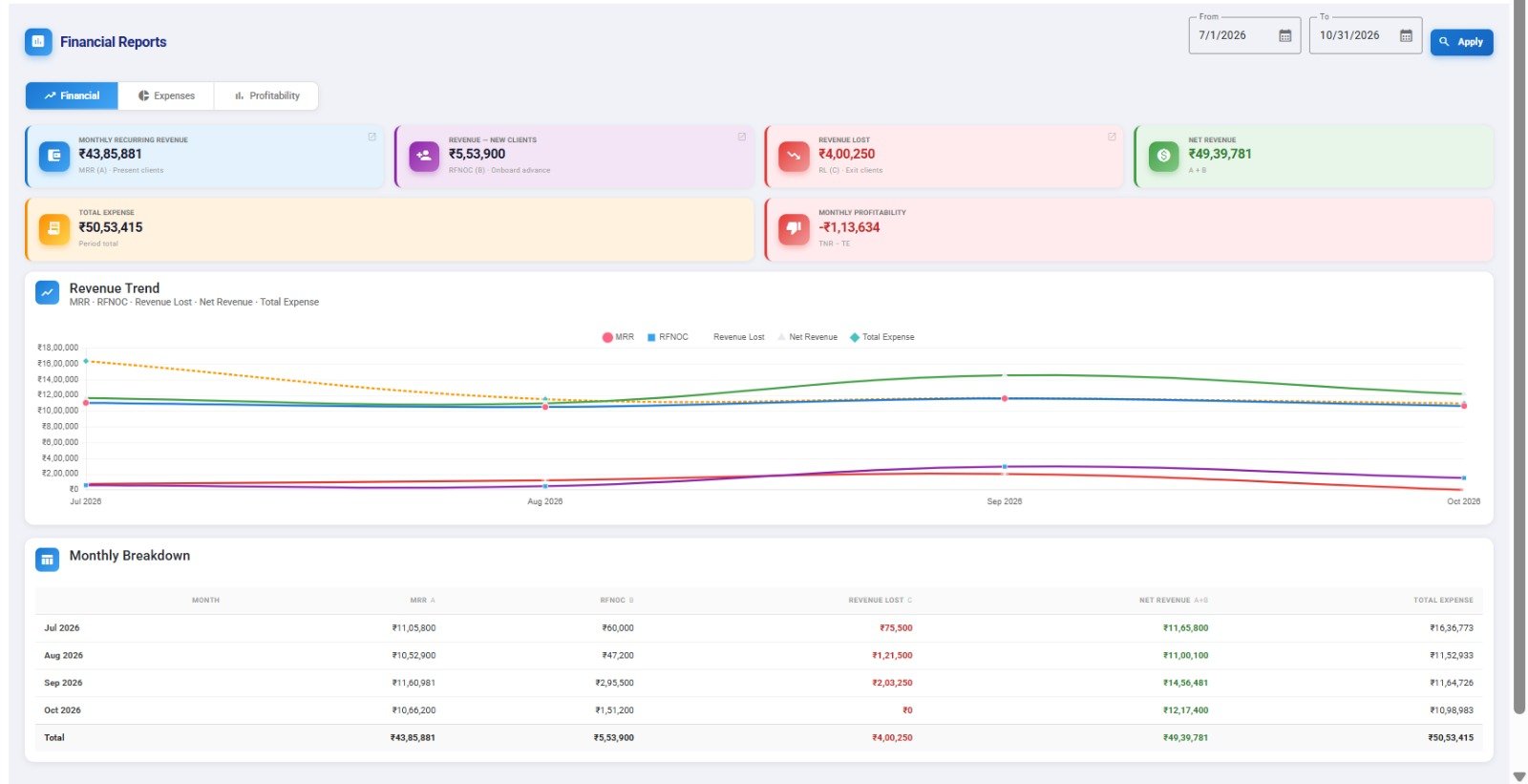
Additional Reporting Screen
An additional reporting view from the application, presenting further summary information in the same consistent interface.
REPORTINGWant to Know More About Atoms DMS?
Contact Atoms Software to learn more about this application or to request a demonstration.